

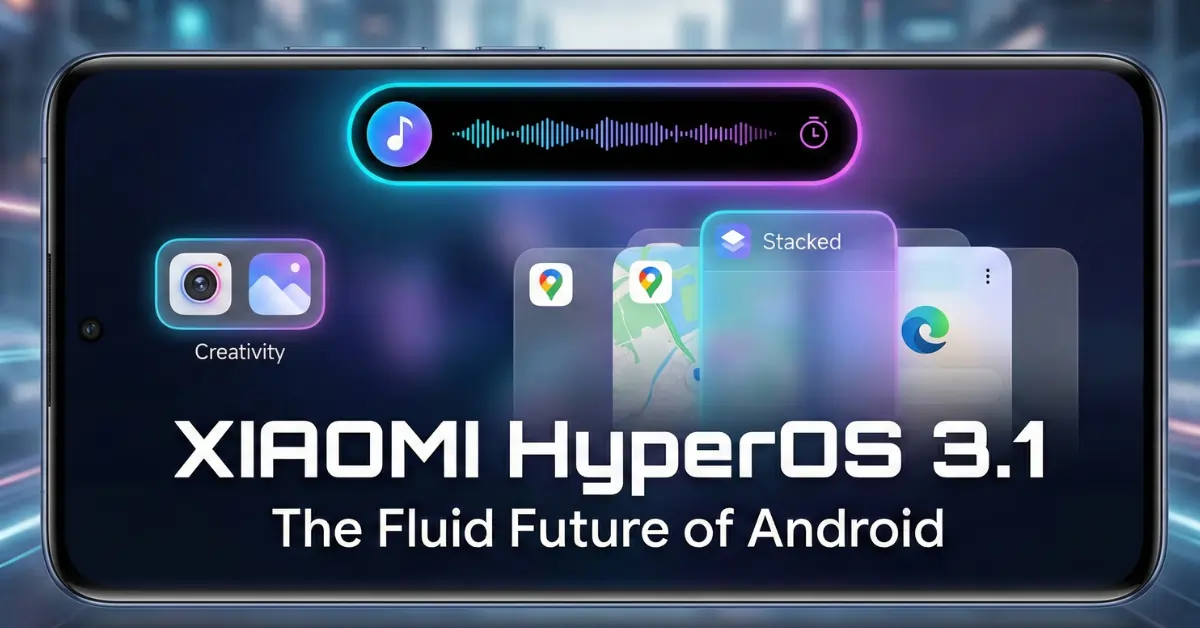
Xiaomi HyperOS 3.1 has arrived! It marks a major change in the Xiaomi ecosystem, one of the biggest I’ve seen in years. As a tech enthusiast, I’ve spent the last few days digging into what this update means for us. It is not just a fresh coat of paint; it is a glimpse into how our phones will work in 2026.
In this post, I’ll explain what’s new. I’ll cover why the Android 16 exclusivity is important. I’ll also show how these changes will affect your daily life.
The Big Shift: Why This Update Feels Different
When I first loaded the beta on my Xiaomi 15 Pro, I expected the usual updates: a new wallpaper and faster app openings. I was wrong. The Xiaomi HyperOS 3.1 update feels like a “reset” button for how the phone handles tasks.
For years, we have accepted that Android phones feel a certain way. But with this update, Xiaomi is clearly trying to bridge the gap between “utility” and “fluidity.” It is no longer just about getting things done; it is about how it feels when you do them.
Truthfully: I believe Xiaomi HyperOS 3.1 is the moment Xiaomi stops trying to just ‘beat’ other Android skins. Instead, they should focus on outclassing iOS in animation quality.
Visual Upgrade: The “Super Island” Experience
Let’s talk about the feature everyone is buzzing about: the Super Island.
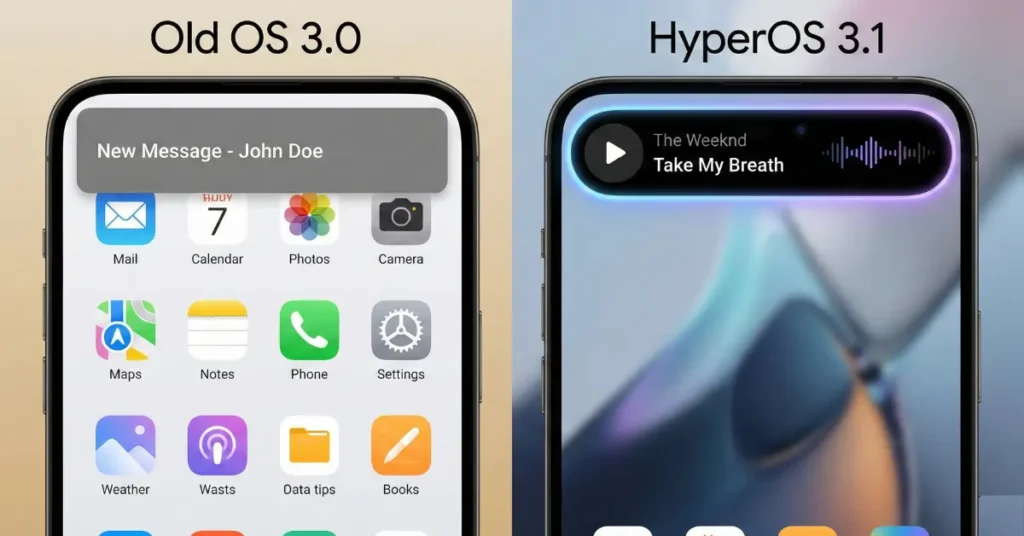
In previous versions, notification capsules were there, but they felt a bit… stiff. I often found them stuttering when I tried to switch between my music player and my navigation app. It was frustrating.
With Xiaomi HyperOS 3.1, that frustration is gone.
- The Feel: The Xiaomi HyperOS 3.1 ‘Super Island’ logic is incredibly smooth. I tested it by rapidly switching between a timer and Spotify. The animation didn’t drop a single frame. It feels elastic and alive.
- Lighting Effects: There is a new lighting effect on the media playback bar. It glows subtly as the music progresses. It sounds small, but when you are using your phone at night, these little details make the device feel premium.
- The Fix: I recall many of us complaining about “stuttering animations” in the past. Xiaomi listened. They optimized the transition logic, so the island expands and collapses without that annoying lag we used to see.
The “Stacked” Recents Menu: A Controversial Change?
This is where things get interesting for muscle memory.
For years, I have used the standard grid view for my recent apps. It was functional. But Xiaomi HyperOS 3.1 adds a new “Stacked” view.
If you have ever used an iPhone, you know this look. The apps stack on top of each other like a deck of cards.
- Why I like it: It is faster to swipe through with one thumb. When I am holding a coffee in one hand and my massive Xiaomi 17 Ultra in the other, the stacked view makes it easier to flick back to the last used app.
- The Learning Curve: I admit, I kept tapping the wrong area for the first hour. It takes time to get used to. But once you do, the old grid view feels cluttered.
Home Screen Freedom: Finally!
I have always hated how rigid home screens can be. I want my phone to look like my phone, not a factory default.
Xiaomi HyperOS 3.1 brings Better Folders.
- Resize at Will: You can now drag and drop to resize folders. I immediately changed my “Social Media” folder to a 2×1 horizontal bar. It saves vertical space and looks much cleaner.
- Page Turning: This is a lifesaver. I have a “Finance” folder with about 12 banking and crypto apps. Before, it was a mess. Now, I can have a small 1×2 folder that I can swipe through like a book.

The “Android 16 Exclusive” Reality
Here is the hard truth that might upset some of you. Xiaomi HyperOS 3.1 is heavily tied to Android 16.
This means if your device is not on the list for the Android 16 update, you likely won’t get the full package. You might get a “ported” version later, but the core experience—especially the deep AI integrations—relies on the new Android framework.
Why is this happening? I think the new animations and “Bluetooth Memory” features need better system access. Android 16 offers this, making connection status more accurate. It is painful for users of older flagships, but it is necessary for progress.
Rollout Schedule: When Will You Get It?
The rollout for Xiaomi HyperOS 3.1 is moving fast. The Beta Phase 2 recruitment is already kicking off. Here is the breakdown so you don’t have to hunt for it.
Note: These are engineering builds.
Warning: I strongly advise against installing this on your main work phone. I did it once on my primary device years ago and lost important WhatsApp chats because of a bug. Only do this if you have a backup phone!
Wave 1 (Started January 22)
- Xiaomi 17 Series: 17 Ultra, 17 Pro Max, 17 Pro, Xiaomi 17
- REDMI K90 Series: K90 Pro Max, K90
- Tablets: Xiaomi Pad 8 Pro, Pad 8
Wave 2 (Starts January 30)
- Xiaomi 15 Series: 15 Ultra, 15S Pro, 15 Pro, 15
- Xiaomi 14 Series: 14 Ultra, 14 Pro (Titanium too), 14
- Foldables: Xiaomi MIX Flip 2
- REDMI K80 Series: K80 Pro, K80 Ultra, K80
- Tablets: Xiaomi Pad 7 Ultra
Stable Release Prediction: Sources indicate the stable China release will start in February. Global users often wait a few weeks. But since this is an “Android 16 Exclusive,” the global rollout may be quicker this year. It aims to align with Google’s schedule.
Features That Change Your Daily Routine
It is easy to get lost in specs. But how does Xiaomi HyperOS 3.1 actually change your Tuesday morning?
- Multi-Volume Adjustment:
- The Old Way: You press volume up, then tap the three dots, then try to slide the tiny “media” bar without accidentally blasting the “ringer” volume.
- The New Way: The design is unified. I found that I could adjust my alarm volume while watching a YouTube video without pausing it. It is seamless.
- Lock Screen Editing:
- I spent 20 minutes just playing with the “depth effect.” You can put the clock behind the subject of your photo. It makes your lock screen look like a magazine cover.
- HyperAI Suggestions (China Only for now):
- The app drawer now suggests apps based on what you are doing. If I plug in headphones, “Spotify” instantly pops up in the suggestion row. It feels like the phone is reading my mind.
Future Trends: What This Means for 2026
Looking at Xiaomi HyperOS 3.1, I see a clear trend for the future: The death of the static interface.
By 2026, I predict we won’t be opening apps as much. We will be interacting with “Islands” and widgets.
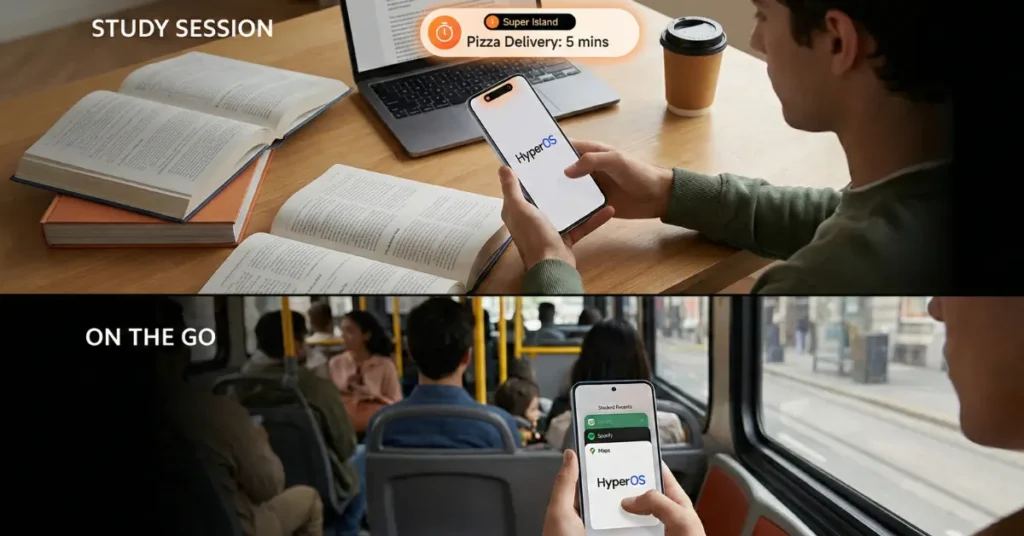
- For Students: You won’t open a calendar app. Your “Super Island” will just turn red when your class is starting.
- For Parents: You won’t open the taxi app to check where the ride is. The lock screen will show the car moving in real-time on a map widget.
Xiaomi HyperOS 3.1 is the first real step toward that future. It is shifting us away from “clicking icons” to “watching live activities.”
This is a massive update. If you are eligible, it will make your phone feel brand new. If you aren’t, it might be time to consider an upgrade in 2026.
Xiaomi HyperOS 3.1 is not just an update; it is a statement that Android 16 is the new baseline for premium experiences.